
How to install TalonMC (official guide)
The official TalonMC install walkthrough: download the Modrinth App, link your Minecraft account, install the modpack and join play.talonmc.net.
This is TalonMC's own installation guide, step by step. It takes about ten minutes start to finish, and the Modrinth App handles Java and the mod versions for you.
| Server IP | play.talonmc.net |
|---|---|
| Discord | discord.gg/talonserver |
| Modpack version | v1.0.4 |
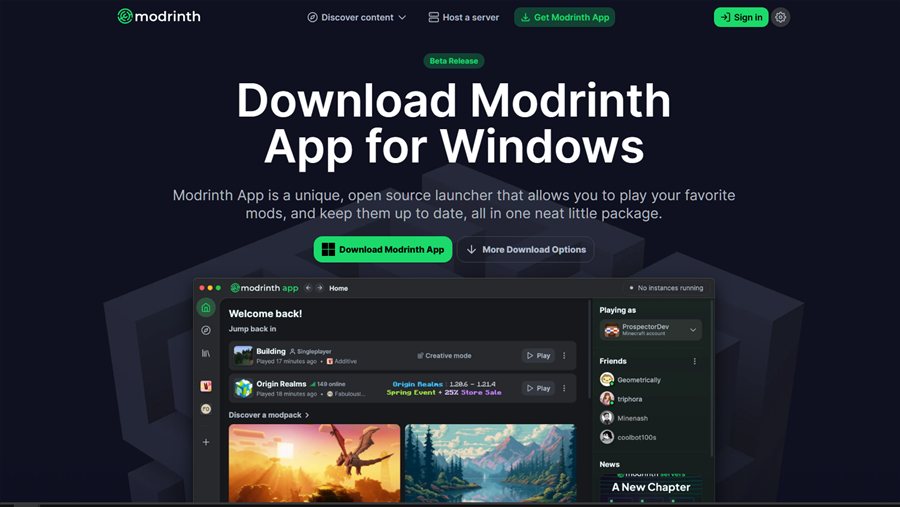
Step 1: download the launcher
- Go to the official Modrinth download page at modrinth.com/app.
- Run the installer and follow the on-screen instructions to complete setup.
Step 2: log in to your account
- Open the launcher and look at the top-right corner for the user profile icon.
- Click Add Account and sign in with your Microsoft account.
- Once it succeeds, your skin and username appear in the launcher.

play.talonmc.net.Step 3: add the modpack
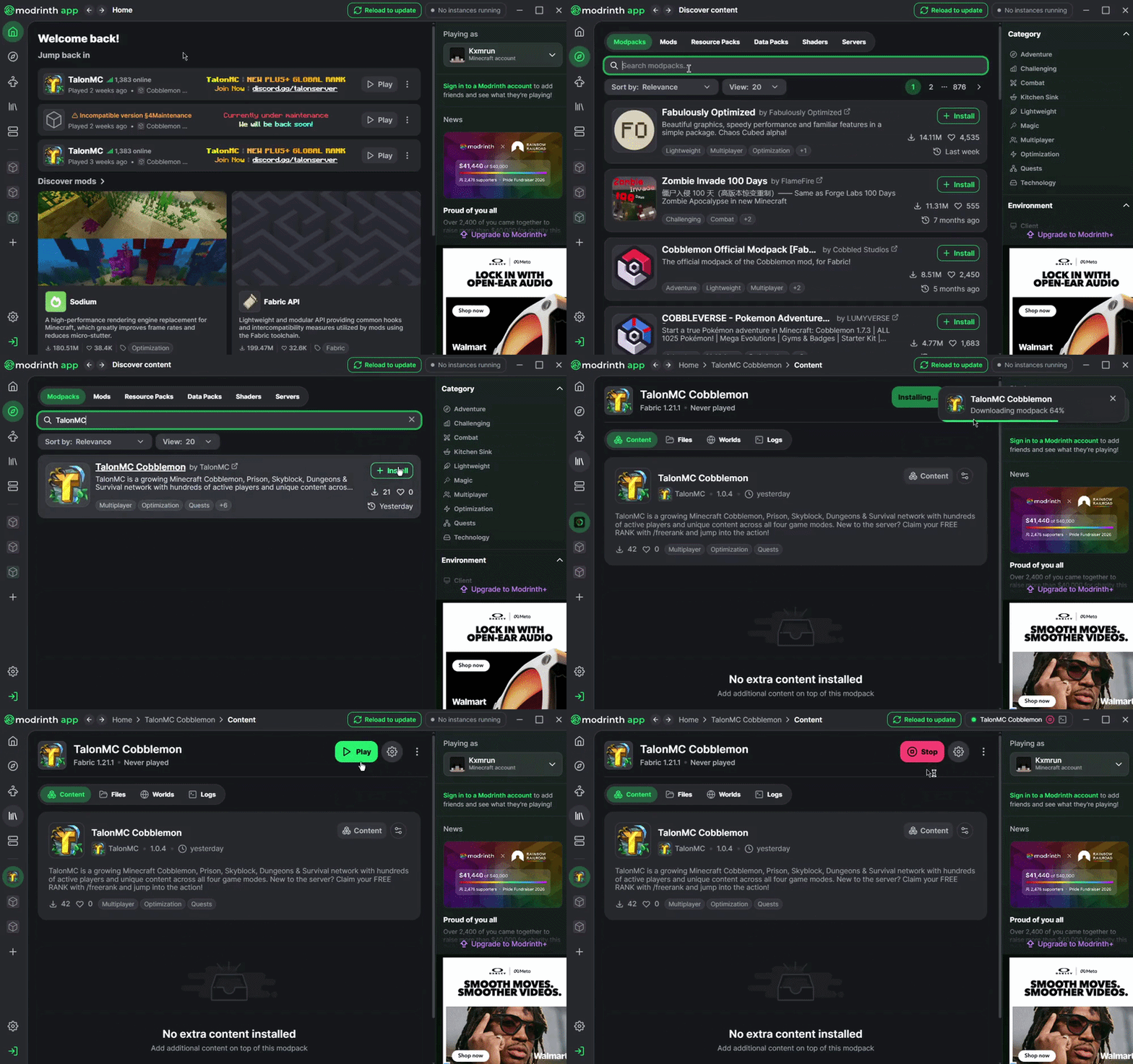
- Click the compass icon on the top-left of the screen.
- Type TalonMC in the search bar.
- Click Install and wait for the pack to download.

Step 4: launch
- Go to the Home tab, the house icon on the left.
- Find the TalonMC Cobblemon instance and click play.
Step 5: join the server
Once the modpack launches, click Multiplayer and enter the server IP
play.talonmc.net.
Need help?
Join discord.gg/talonserver and open a ticket in #support. The team is happy to help you get set up.
Once you are in, follow getting started for your first hour.